A live countdown widget for your website
Drop a beautiful live countdown into any page — blog post, WordPress sidebar, community portal or intranet dashboard. It updates itself, reads each visitor's own timezone, and never needs maintenance.
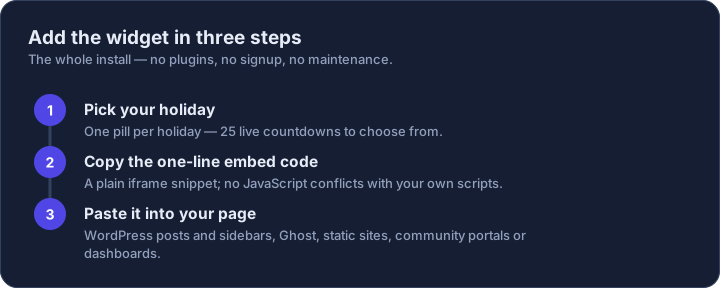
Pick a holiday
Pick a size
Copy this line
Paste it into your HTML editor, post or sidebar widget. That's the whole install.

Why webmasters use it
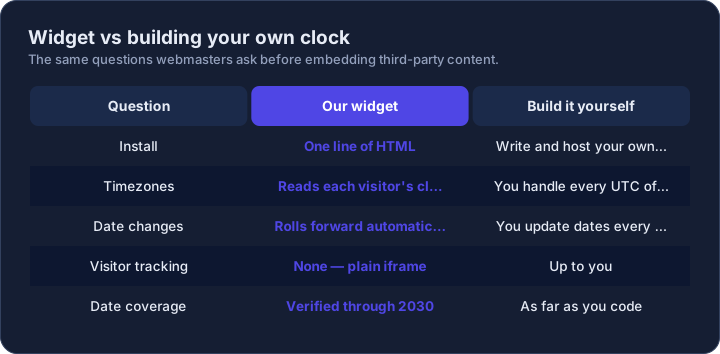
The widget is a plain iframe: no JavaScript conflicts with your own scripts, no tracking of your visitors, and zero upkeep on your side. The countdown reads the viewer's own timezone, so a reader in Tokyo and a reader in New York both see the correct time remaining. If a holiday date is ever corrected, your widget reflects it automatically.
Sizing is yours to control: the Compact size fits sidebars and headers, Standard suits article embeds, and Large works as a full-width banner. Set the width attribute to your container and the countdown adapts.